Managed IT Services in Dallas: What to Expect

Managed IT Services in Dallas: What to Expect
Dallas businesses depend on technology for almost every part of the workday: email, phones, cloud apps, payments, scheduling, patient or tenant communication, file access, security, and customer service. When IT support is slow or inconsistent, the impact is not just technical. It can delay employees, frustrate customers, expose security gaps, and make leadership feel like technology is controlling the business instead of supporting it.
That is why many local companies search for managed IT services in Dallas. A managed IT provider should do more than answer the phone when something breaks. The right partner should help your business prevent avoidable problems, support employees quickly, strengthen cybersecurity, protect data, and plan technology around business goals.
At PWR Technologies, we help Dallas businesses build a more reliable IT foundation with responsive helpdesk support, proactive maintenance, cybersecurity, backup planning, and practical technology guidance.
What Are Managed IT Services?
Managed IT services are ongoing technology support and management for a business. Instead of waiting until computers, networks, email, applications, or security tools fail, a managed IT partner helps monitor, maintain, secure, and support the environment on a regular basis.
For many Dallas businesses, managed IT services can include:
- Helpdesk and user support
- Proactive maintenance
- Status monitoring
- Endpoint management
- Microsoft 365 support
- Network support
- Cybersecurity and antivirus
- Endpoint detection and response
- Email protection
- Data backups and disaster recovery
- Virtual CIO guidance
- Technology planning and alignment
The goal is simple: keep the business running, reduce avoidable downtime, make support more predictable, and give leadership a clearer picture of technology risk and performance.
Why Dallas Businesses Look For Managed IT Support
When a business starts looking for managed IT support in Dallas, there is usually a real operational problem behind the search. Support may be too slow. Recurring issues may keep coming back. The company may be growing faster than its current technology setup can handle. Leadership may be worried about security, backups, compliance, or whether employees can get help when they need it.
Common warning signs include:
- Employees waiting too long for IT help
- Slow computers or unreliable systems
- Network issues that keep returning
- Unclear backup or disaster recovery plans
- Security tools that are not being actively managed
- Microsoft 365 confusion
- No clear technology roadmap
- Leadership unsure whether IT spending is helping the business
Managed IT services should bring structure to those issues. A strong provider should make support easier to request, easier to track, and easier to improve over time.
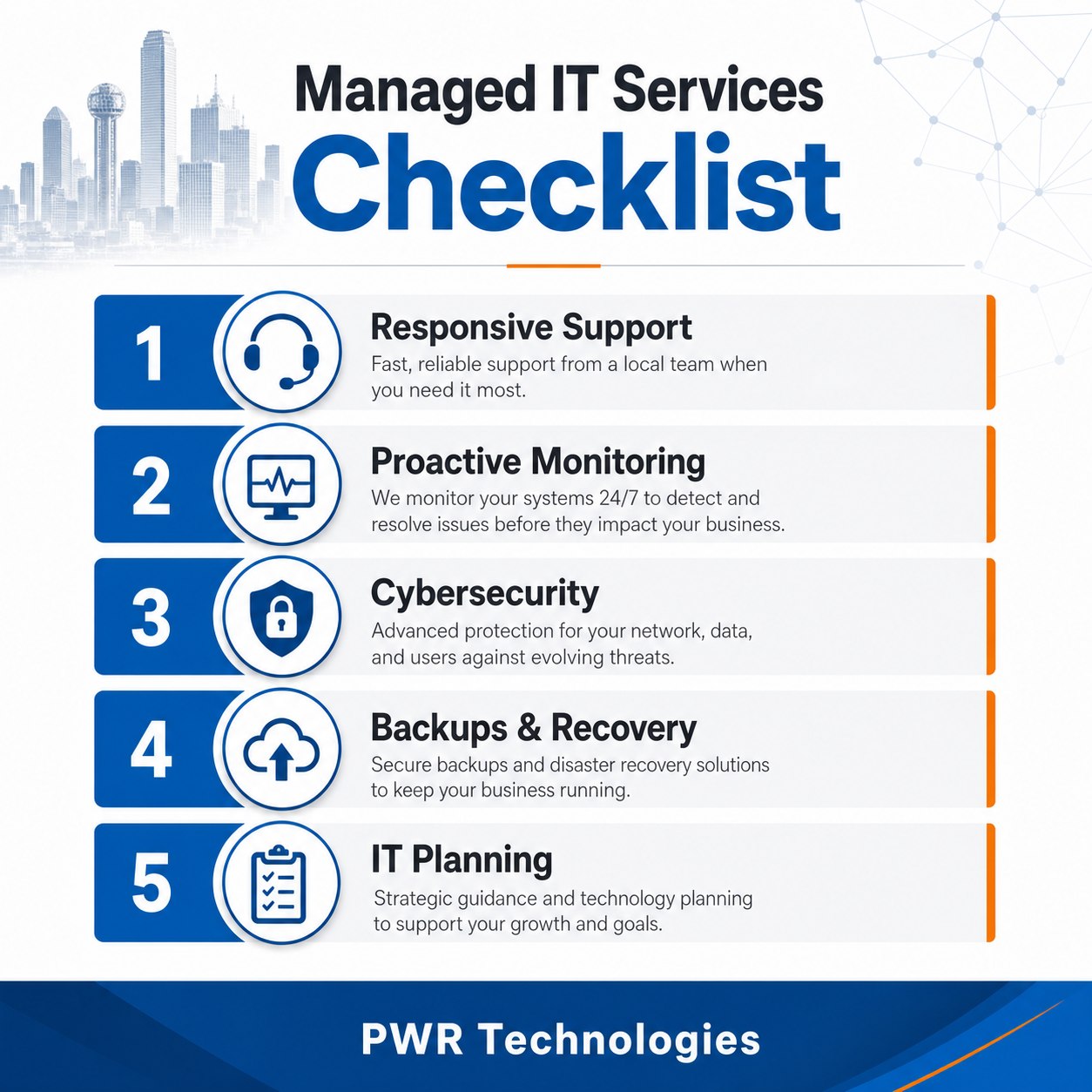
What To Expect From A Strong Managed IT Provider
A strong managed IT services provider should not feel like a mystery. You should know what is being supported, how requests are handled, what risks are being monitored, and what improvements are being recommended.
Here are the core areas Dallas businesses should expect from a serious managed IT provider.
1. Responsive Helpdesk Support
When your team needs help, response time matters. Slow support creates frustration, interrupts work, and can affect the customer experience. A business should not have to wonder whether a support request was received, who owns it, or when the issue will be addressed.
Your managed IT provider should have a clear IT helpdesk and support process for receiving requests, prioritizing issues, documenting work, communicating with users, and escalating problems when needed. Employees should know how to get help, and leadership should know whether support is improving.
2. Proactive Monitoring And Maintenance
Good IT support should not only react to problems. It should help prevent them.
Proactive maintenance can include monitoring device health, checking system status, reviewing recurring issues, applying updates, identifying risks, and keeping an eye on the technology areas that support daily operations. This is especially important for companies that depend on reliable access to email, cloud systems, line-of-business applications, phones, shared files, and customer records.
3. Cybersecurity Built Into Daily Operations
Cybersecurity is no longer optional for small and mid-sized businesses. A managed IT provider should help protect users, devices, email, data, and business applications with practical IT security controls.
This may include cybersecurity and antivirus, endpoint detection and response, email protection, access controls, security awareness training, and backup planning. For small-business security guidance, CISA provides Cyber Guidance for Small Businesses, and NIST maintains a Small Business Cybersecurity Corner. Those resources are helpful because they reinforce an important point: cybersecurity should be part of normal business operations, not a one-time project.
4. Backup And Disaster Recovery Planning
Every business should know what happens if a system fails, files are deleted, a device is lost, or a cyber incident occurs. Backups are important, but having backups is not the same as knowing how recovery will work.
Managed IT services should include a clear conversation about data backups and disaster recovery, recovery expectations, protected systems, and business continuity. Ready.gov also recommends that businesses develop an IT disaster recovery plan alongside the broader continuity plan. In plain English, your business should know what is protected, how often it is backed up, how recovery would happen, and who is responsible during an incident.
5. Strategic IT Planning
Technology decisions affect growth, hiring, security, customer service, and profitability. A managed IT partner should help leadership understand what to fix now, what to plan for next, and where technology spending makes sense.
This is where virtual CIO services and technology alignment become valuable. Your business should have a practical roadmap, not just a list of tickets.
Need Help Reviewing Your Dallas IT Support Setup?
If your team is dealing with slow support, repeated technical issues, unclear backup planning, or security concerns, PWR Technologies can help you review your current IT setup and identify practical next steps.
Schedule an IT consultation with PWR Technologies
Questions To Ask Before Choosing A Managed IT Provider
Before choosing a managed IT services provider in Dallas, ask questions like:
- How quickly do you respond to support requests?
- What is included in proactive maintenance?
- How do you monitor system health?
- How do you handle cybersecurity?
- What backup and disaster recovery options do you recommend?
- How do you support Microsoft 365, networks, endpoints, and users?
- How do you document work and report progress?
- How do you help leadership plan technology improvements?
- Do you understand businesses like ours?
The right provider should be able to answer clearly without hiding behind technical language. If the answer sounds vague, it may be a sign that the provider does not have a mature process behind the service.
Managed IT Services For Dallas Industries
Different industries need different kinds of support. A healthcare practice may care most about secure systems, uptime, patient communication, and reliable workstations. An apartment community may need support for office systems, leasing operations, access to cloud platforms, phones, and vendor coordination. A professional services firm may focus on Microsoft 365, file access, cybersecurity, and fast user support.
That is why managed IT should not be treated like a one-size-fits-all checklist. A Dallas provider should understand how the business operates, who depends on the technology, and what downtime actually costs.
How PWR Technologies Helps Dallas Businesses
PWR Technologies provides managed IT services for Dallas businesses that want responsive support, practical security, and technology that feels easier to manage.
Our services include managed IT support, helpdesk support, proactive maintenance, status monitoring, endpoint management, Microsoft 365 optimization, infrastructure and cloud support, cybersecurity, data backups, disaster recovery, business continuity planning, and virtual CIO guidance.
We work with small and mid-sized businesses, healthcare practices, apartment communities, legal firms, dental offices, and other local organizations that need reliable technology support without building a full internal IT department.
Ready To Talk Through Your IT Needs?
If your business is dealing with slow support, recurring IT issues, cybersecurity concerns, unreliable systems, or uncertainty around backups and planning, it may be time to review your current IT environment.
Contact PWR Technologies to schedule an IT consultation and talk through what managed IT services should look like for your Dallas business.
FAQ
What are managed IT services?
Managed IT services are ongoing technology support, monitoring, maintenance, cybersecurity, backup planning, and IT guidance for a business. The goal is to reduce downtime, support employees, protect systems, and make technology easier to manage.
Why do Dallas businesses use managed IT services?
Dallas businesses use managed IT services to get faster support, improve security, reduce recurring problems, manage backups, and make better technology decisions as they grow.
What should be included in managed IT support?
Managed IT support may include helpdesk service, proactive maintenance, status monitoring, endpoint management, Microsoft 365 support, cybersecurity, backups, disaster recovery, and IT planning.
How do I know if my business needs managed IT services?
If your team waits too long for support, deals with recurring issues, lacks a backup plan, worries about security, or does not have a clear IT roadmap, managed IT services may help.
What is the best next step for a Dallas business reviewing IT support?
The best next step is to review your current support process, recurring problems, cybersecurity tools, backup plan, Microsoft 365 setup, and business goals. From there, a managed IT provider can recommend practical improvements instead of guessing.